The GRC Vibe Coder's Playbook · Lesson 01 of 10
What Should I Build First?
Pick one useful problem and make your first version small enough to finish.
All 10 Lessons · Jump to a Lesson
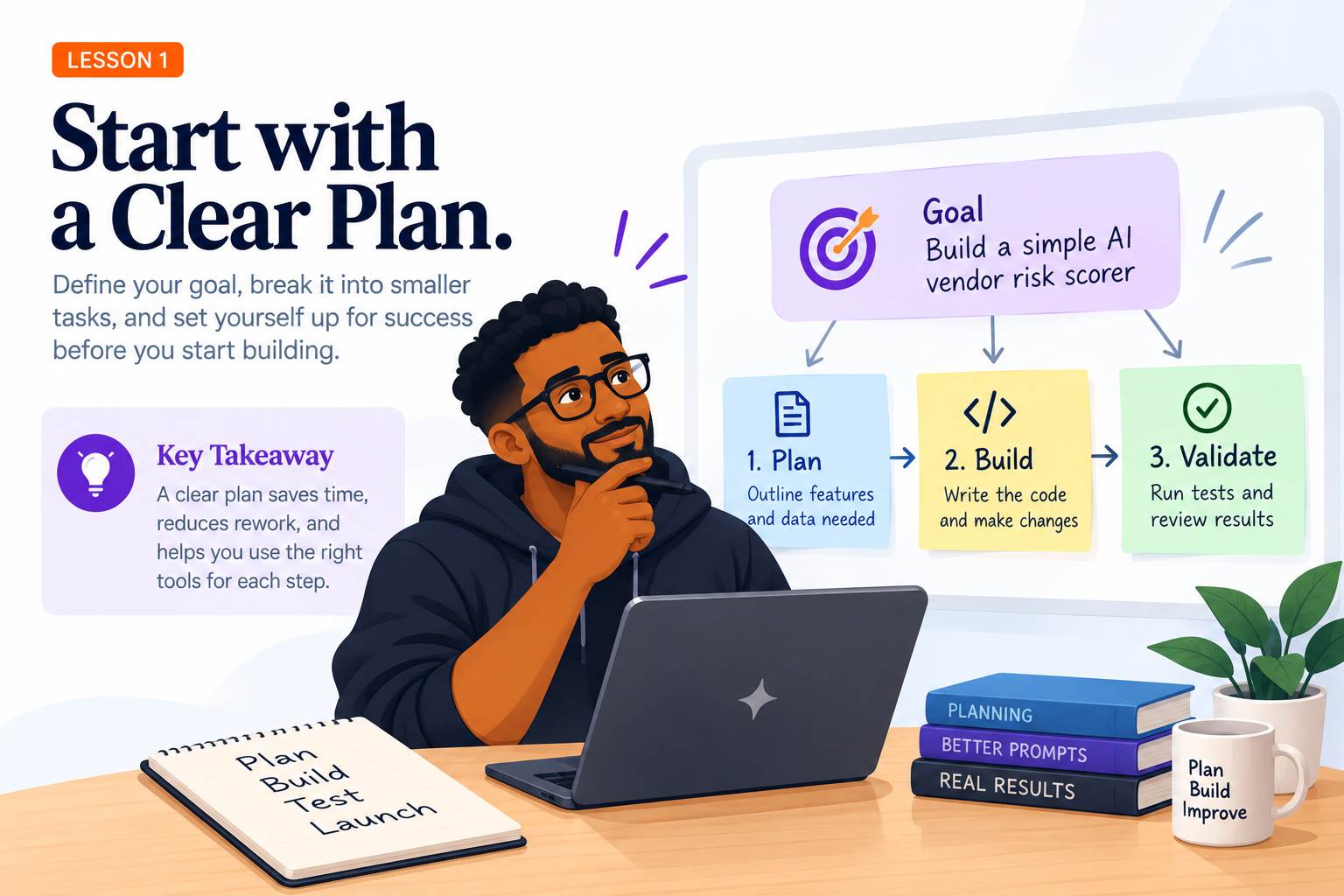
Meet our practice project: a simple tool that helps someone review a vendor's security answers. Imagine a GRC teammate receives a questionnaire and wants to see which answers need attention. Our first version will take three answers, apply a few written rules, and show a result that a person can review.
It will use made-up data, not real vendor records. We are not building a complete vendor management system, and the tool will not make risk decisions for us.
What Are We Actually Making?
Imagine you receive answers from a vendor and need to decide which ones deserve a closer look. Rather than copying answers into a long report, our practice tool will show a short, explainable summary. We will call our fictional vendor Peachtree Demo.
For now, the tool needs only three questions: Does the vendor use customer data to train AI? Does it support data deletion? Has it provided incident-notification evidence? You do not need to know how to code those questions yet. First, decide what a helpful result looks like.
Version one (often shortened to V1) means the smallest working version, not the final product. We can add accounts, dashboards, and file uploads later. Starting small gives us something we can check and improve.
What Our First Version Shows
- Customer data used for AI training?
- No
- Data deletion supported?
- Yes
- Incident-notification evidence?
- Not provided
Incident-notification evidence was not provided.
A person reviews the gap and decides what to ask next.
How Will We Build It?
People who build software rarely get everything right in one attempt. They repeat a simple cycle: decide what to make, make a small change, check it, and improve it. You will use that same cycle with AI helping you along the way.
- Plan: Describe the problem and what success would look like.
- Build: Ask a coding tool to create one small part.
- Check: Try the result and compare it with your plan.
- Improve: Fix what is missing, then choose the next change.
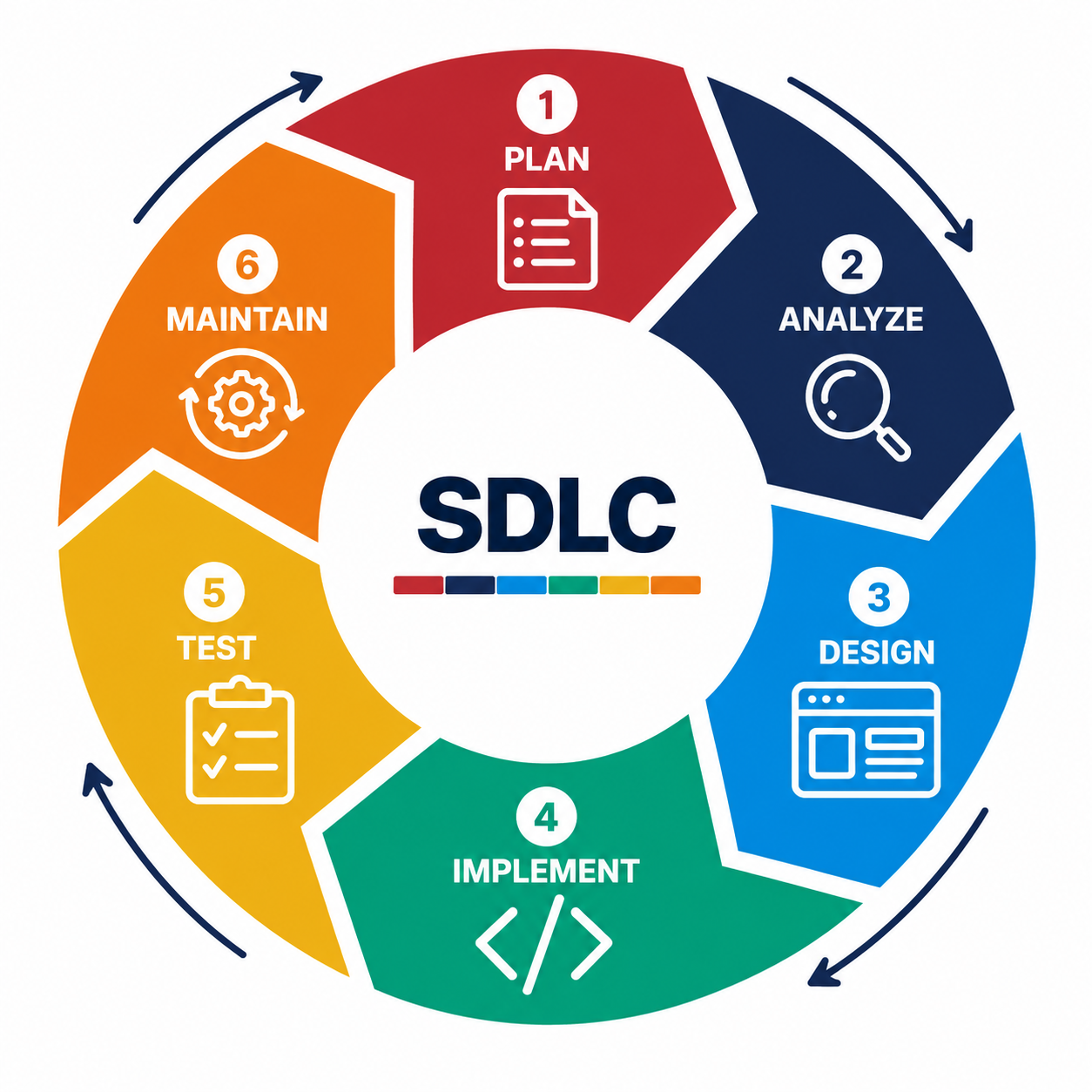
This repeatable approach is part of the software development life cycle (SDLC). You do not need to memorize its phases today. The important lesson is that building includes planning, testing, and maintenance, not just generating code.
Your First Project Does Not Have to Be an App
A checklist, simple script, portfolio page, or tiny website can teach the same habits. A portfolio is a collection of work you can show to others. If you are just starting, your first project can be a short written example and a description of what you learned.
Next: In Lesson 2, we will turn the idea into instructions clear enough for AI to follow. You do not need to install anything or write code before moving on.
The GRC Connection
Defining who needs a result, what it should show, and what is outside the scope is useful GRC work too. Clear boundaries make a decision easier to review.
Put It into Practice
Choose one person and one problem. Write a single sentence describing what your first version will do, then list three things it will not do yet. You can use our fictional vendor tool or choose your own small idea. No code needed.
What Good Looks Like
You can explain who the project helps, what its first version does, and what you are deliberately leaving for later.
Check the result yourself. Save the decision or next step in GitHub so you can return to it later.