The GRC Vibe Coder's Playbook · Lesson 03 of 06
Which AI tool fits my project?
Match the tool to the task, not the hype.
All six lessons · Jump to a lesson
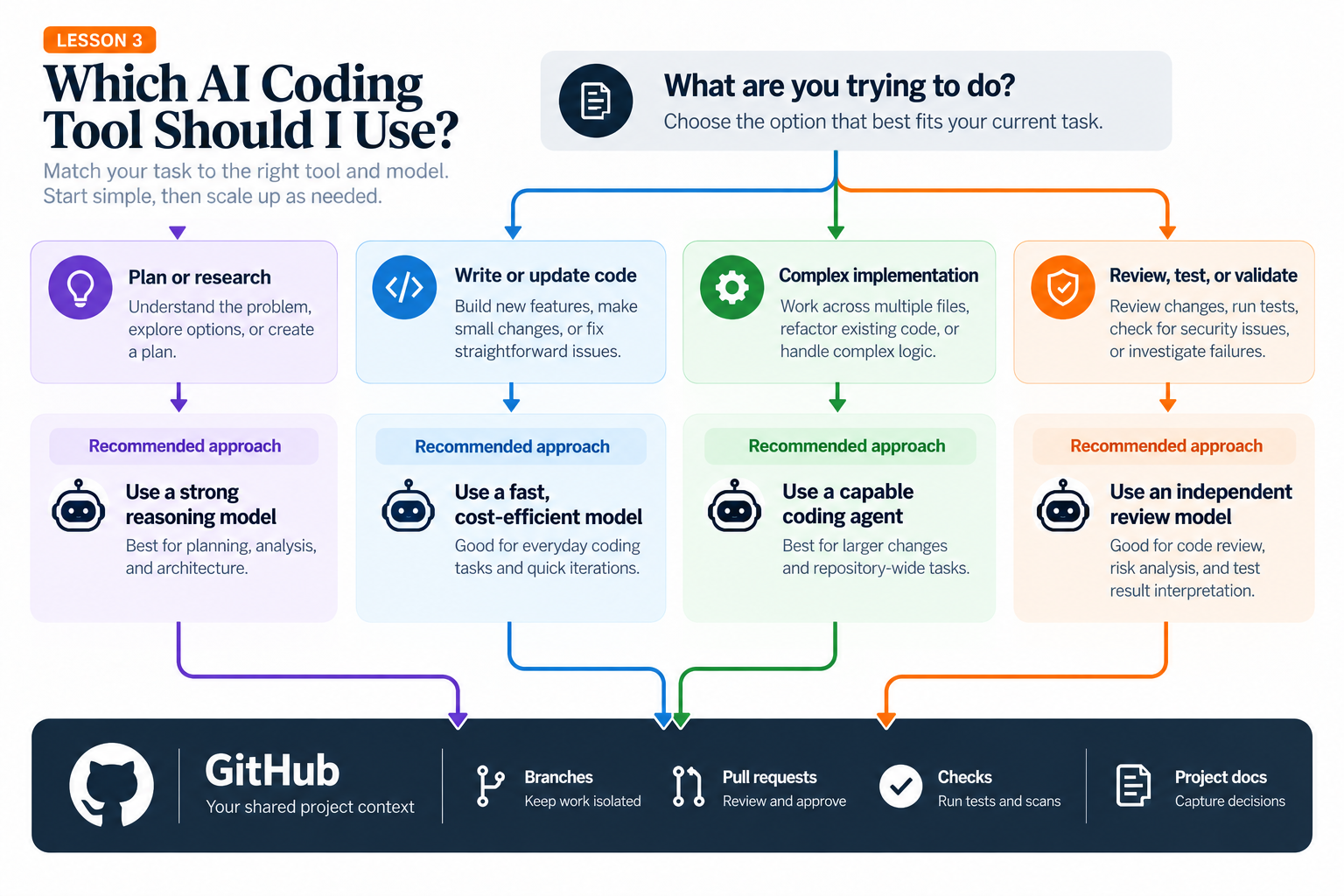
A visual prototype may start in v0 or a browser-based builder.
Cursor is useful when shaping and editing a site in an IDE.
Codex or Claude Code may be better fits for delegated, repository-wide implementation and investigation.
For a content-heavy learning platform, prioritize reliable content workflows and review over flashy scaffolding.
Tool capabilities overlap and change.
Start by asking which part of your workflow is actually difficult: layout, data logic, testing, or repository navigation.
Use a visual builder for an early screen if it helps, then move the durable code and requirements into your repository.
Do not add a second paid tool merely because someone recommends it.
Put it into practice
Assign one tool to the UI prototype and another to implement a small, testable scoring function. Write why you chose each.
Before you move on
Read the AI output critically. Does it match your project goal and the instructions in the prompt? Can you explain the recommendation or change in your own words? If not, ask for clarification or a smaller next step.
Save useful decisions and results in your project notes or GitHub repository. Do not treat a confident answer, generated code, or a passing check as a substitute for your own review.